2026 Budget Planner KDP
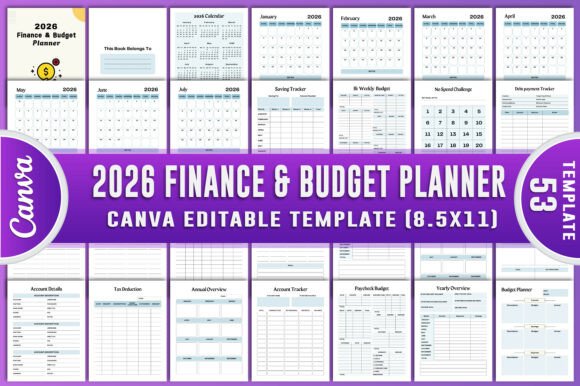
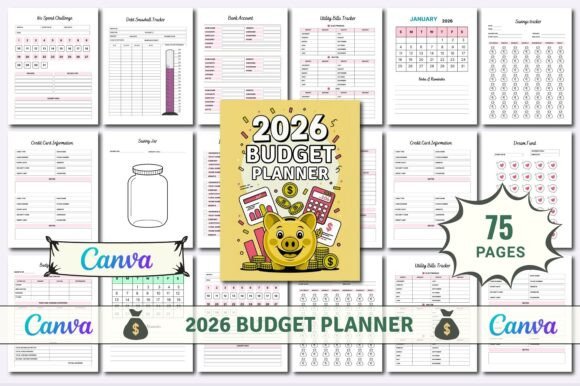
If you're juggling rent, student loans, a side hustle, and that one subscription you forgot you signed up for—then the 2026 Budget Planner KDP isn’t just another printable. It’s your quiet co-pilot through financial chaos. Designed for real life—not textbook scenarios—it gives you editable, print-ready files you can actually use: JPGs for quick sharing, PNGs for crisp overlays, and PDFs ready for home printing or professional binding. And because life changes fast, every interior page is fully editable in Canva—no design skills needed.
Where This Planner Fits Into Real Life (Not Just Theory)
Think about your last “I’ll track it later” moment. Maybe it was after a surprise car repair, or when you realized your streaming services cost more than your gym membership. The 2026 Budget Planner KDP steps in right there—not as a rigid spreadsheet, but as a flexible, visual system built around how people *actually* manage money.
A freelance graphic designer uses the Monthly Overview and Paycheck Budget pages to align irregular income with fixed bills—and adjusts her Tax Deduction Tracker each time she invoices a new client. A teacher on a fixed salary leans into the 3–6 Month Emergency Fund Savings Tracker while using the No Spend Challenge spread to reset habits before holiday season. A couple launching their first food truck uses the Vacation Budget page—not for travel, but to plan their soft launch event, tracking vendor deposits, permit fees, and sample ingredient costs like it’s a mini P&L.
Who Gets the Most Out of It (and Why)
This isn’t a one-size-fits-all tool—but it *is* a one-size-fits-*many*. Here’s where it shines:
- Home-based entrepreneurs: Track business expenses separately with the Bank Account and Credit Card Information pages—then cross-reference with the Annual Finance Expense Tracker at year-end. No more scrambling during tax prep.
- Young professionals paying down debt: The Debt Snowball Tracker works best when paired with the Upcoming Expenses and Online Shopping Tracker—so you see not just *what* you owe, but *when* cash will be tight and where small leaks happen.
- Families managing shared finances: Print the Quarterly Bills Tracker and stick it on the fridge. Use the Utility Bills Tracker to compare winter vs. summer usage—and spot patterns that lead to real savings (like adjusting the thermostat by two degrees).
- Students and recent grads: The 10 Dollar Savings Challenge and SAVE $1,000 Dollar tracker make progress feel immediate—even on a part-time paycheck. Paired with the Donation Tracker, it helps build intentionality early, not just discipline.
Why Editable Files Matter More Than You Think
You don’t need Photoshop to personalize your budgeting. With the included editable Canva link, you can change fonts, colors, headers—even rearrange sections. One user swapped out “Savings Jar” for “Grad School Fund.” Another added icons next to recurring subscriptions so her teen could recognize them instantly. That flexibility means the planner grows with you: add a line for pet insurance, rename “Bills” to “Shared Household Costs,” or paste in a photo of your dream vacation spot beside the Vacation Budget page.
And because files come in popular sizes—8.5" x 11", A4, and even half-letter for compact notebooks—you’re not stuck choosing between portability and readability. Print the Yearly Overview poster-size for your home office wall, then shrink the Monthly Budget pages for your bullet journal.
What You’ll Actually Use (Not Just Flip Through)
Let’s be honest: most planners collect dust after February. The 2026 Budget Planner KDP avoids that trap by anchoring every page in action—not abstraction.
The Insurance Tracker doesn’t just list policies—it asks for renewal dates, coverage limits, and whether you’ve shopped around this year. The Savings Plan includes space to note *why* you’re saving (e.g., “Down payment on condo in 2027”)—which makes skipping that latte feel less like sacrifice and more like strategy. Even the Financial Goals section separates short-term (“Build $500 emergency fund”) from future goals (“Retire at 55”), so motivation stays layered—not overwhelming.
Things to Consider Before You Start
It’s powerful—but not magic. A few realistic notes:
- It won’t auto-fill your data. You’ll still need to enter income, bills, and goals manually. But because everything’s pre-formatted and categorized, you spend minutes—not hours—setting up.
- Canva editing is intuitive, but not limitless. You can change text, colors, and layout order—but not convert a PDF into an interactive form or add calculations. If you need live totals, pair it with a simple Google Sheet alongside your printed copy.
- Print quality depends on your printer. The high-res JPG and PNG files ensure sharp text and clean lines—but glossy paper and a reliable inkjet or laser printer make the difference between “meh” and “wow, I want to write in this every day.”
- It’s designed for consistency—not perfection. Missed a week? Flip to the Monthly Bill Tracker and catch up in 10 minutes. Overspent on groceries? Adjust next month’s allocation using the Budget Planner page—no guilt, no restart required.
When “Just One More Thing” Becomes Your Secret Advantage
We all have that mental load—the quiet hum of unpaid invoices, expiring coupons, forgotten passwords, and “I should call the dentist” notes buried in our Notes app. The 2026 Budget Planner KDP quietly offloads some of that. The Upcoming Expenses page surfaces what’s due in the next 90 days. The Subscriptions tracker helps you cancel three things before lunch. The Future Goals section keeps your 5-year vision visible—not vague.
One small-business owner told us she used the 100 Dollar Savings Challenge to fund her first website redesign—$100 at a time, tracked across six months. Another used the SAVE $10,000 Dollar tracker to visualize her daughter’s college fund, adding a handwritten note each time she hit a milestone: “First $1K—thanks, tax refund!”
That’s the quiet strength of this planner: it doesn’t ask you to overhaul your life. It meets you where you are—with editable files, real-world categories, and space to breathe, adjust, and keep going.