2026 Craft Fair Planner Canva KDP
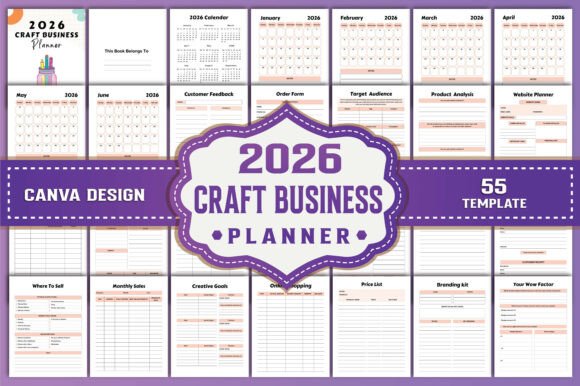
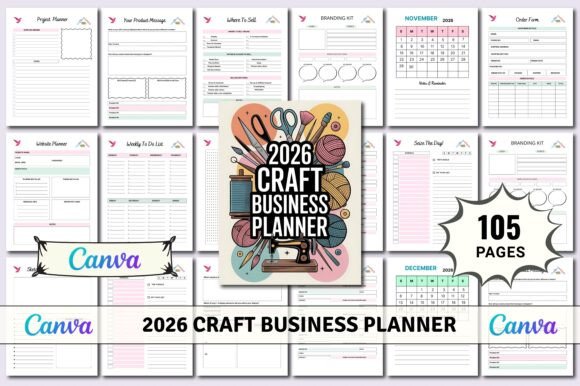
If you’re a maker, small-batch creator, or craft business owner preparing for 2026’s market season—this isn’t just another planner. The 2026 Craft Fair Planner Canva KDP is a fully editable, print-ready interior designed from the ground up for real-world craft fair logistics: booth prep, inventory tracking, pricing strategy, customer follow-up, and tax-ready recordkeeping—all in one cohesive, customizable system.
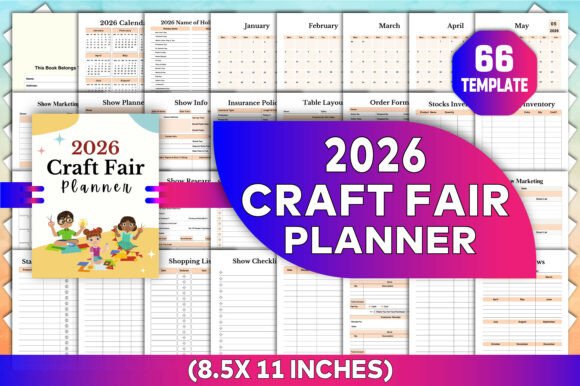
What sets it apart isn’t just the depth of its pages—it’s how thoughtfully each section connects to the next. You won’t find generic calendar spreads here. Instead, you’ll get a Countdown to Market page that syncs with your show dates, a Show Research spread built for competitor analysis *before* you book a booth, and dual Booth Layout templates—one for visualizing your display flow, another for measuring actual stall dimensions and power access points. It’s functional typography meets practical operations.
A Planner That Feels Like a Collaborator, Not a Checklist
The 2026 Craft Fair Planner Canva KDP Interiors use clean, legible sans serif headings paired with open, spacious body text—no cramped lines or decorative distractions. This isn’t accidental. Every font choice supports quick scanning during setup chaos, clear handwriting during live sales, and easy digital editing when updating your Packaging Inventory or Stall Display Inventory. There’s no script flourish where clarity matters most—just consistent hierarchy, balanced whitespace, and intuitive visual grouping.
You’ll notice subtle but intentional design cues: bold headers anchor each section (like Insurance Policies or Tax Deduction), while lighter-weight subheads guide you into actionable fields—Vendor Name, Policy Number, Expiry Date. That rhythm builds confidence. When you’re juggling six shows, a home studio, and wholesale inquiries, you don’t need design drama—you need reliability you can trust at 6 a.m. before load-in.
Why “Editable in Canva” Changes Everything
This isn’t a static PDF you annotate with shaky tablet strokes. When you download the 2026 Craft Fair Planner Canva KDP, you receive an original Canva template—fully layered, labeled, and organized. That means you can swap colors to match your brand palette, adjust column widths for longer product names, duplicate the Sales Log page for multiple shows, or hide sections you don’t use (like Wholesale Waiting List) without breaking formatting.
And because it’s built for Canva—not just exported from it—you retain full control over fonts, spacing, and alignment. No pixelated JPGs masquerading as “editable.” No locked layers. Just clean, production-ready assets: a printable PDF for binding, high-res JPGs for quick sharing with your team, and transparent PNGs if you want to drop a layout into a social media post or email newsletter.
Real Use Cases—Beyond the First Page
Think about your busiest quarter: three weekend markets, two pop-ups, and a holiday bazaar. With the 2026 Craft Fair Planner Canva KDP Interiors, your Show Planner page holds booth numbers, contact names, and load-in times—while the linked Spending Log tracks parking, mileage, and last-minute supplies. Later, cross-reference that with your Budget Tracker to see which event delivered the strongest ROI.
Or imagine launching a new line. The Craft Ideas Sketches and Craft Calendar pages let you map seasonal themes months ahead—then feed those concepts directly into your Show Marketing spread for Instagram carousels, email subject lines, and booth signage copy. Even your Website Planner section helps align craft fair launches with blog posts, SEO keywords, and landing page updates.
And for post-show reflection? The dual Year In Review pages aren’t vague prompts. One guides you through hard metrics—total shows, average sales per day, top-performing products. The other focuses on qualitative growth: what feedback surprised you? Which packaging upgrade reduced damage claims? Where did your Customer Feedback sheet reveal unexpected demand?
Design Integrity Meets Business Practicality
This planner doesn’t assume you’re a graphic designer—but it respects your time like one. Every table layout uses consistent padding, aligned decimal points in price columns, and logical field order (e.g., Product Name → SKU → Cost → Retail → Profit Margin). That consistency reduces mental load. You’re not decoding layout—you’re analyzing data.
Licensing is straightforward, too: commercial use is included. Whether you’re a solo ceramicist selling at local fairs or a small team managing regional markets, you can print, bind, and use this planner across your entire operation—no hidden restrictions, no attribution requirements. And because the Canva file is yours to keep, you can update it year after year—even if your craft evolves from handmade candles to subscription kits.
Getting Started Without Overwhelm
You don’t need to fill every page on Day One. Start with what’s urgent: your first 2026 show date. Open the Show Planner and Booth Layout pages. Block out your space. Then flip to Order Form and Stocks Inventory—list what you’ll actually take, not what you *hope* to sell. That grounded start builds momentum.
Later, layer in systems: use Newsletter Subscribers and Pre-Order Sign Up Sheet to turn foot traffic into email leads. Let Customer Receipt double as a handwritten thank-you note—and capture names for your Waiting List Sign Up. Small habits, reinforced by smart structure, compound fast.
The 2026 Craft Fair Planner Canva KDP works because it’s built by people who’ve stood in rain-soaked parking lots at 7 a.m., recalculated prices mid-booth, and realized too late they’d forgotten insurance paperwork. It’s not aspirational—it’s operational. And that’s why it fits so naturally into studios, shared workspaces, and even coffee-stained kitchen tables where craft businesses begin.