2026 Marketing Planner Canva KDP: Your All-in-One Editable Business & Content Organizer
Whether you're launching a new product, managing a growing social media presence, or running a small business from home or a shared office space, staying organized across platforms, timelines, and financial goals is no small feat. That’s where the 2026 Marketing Planner Canva KDP steps in—not as another static PDF to print and forget, but as a dynamic, fully editable toolkit built for real-world flexibility and long-term planning.
What Is the 2026 Marketing Planner Canva KDP?
The 2026 Marketing Planner Canva KDP is a professionally designed, print-ready digital planner created specifically for creators, entrepreneurs, solopreneurs, and marketing teams who need structure without sacrificing customization. Unlike generic planners, it’s built for Canva—meaning every page is editable directly in your browser. No design software required. Just open the included Canva link, tweak colors, fonts, logos, or layout—and download instantly.
It’s also optimized for KDP (Kindle Direct Publishing), so if you’re building your own planner brand or reselling under your imprint, the interior files meet Amazon’s strict formatting standards—no reformatting headaches later.
Why This Planner Stands Out: Features That Actually Work
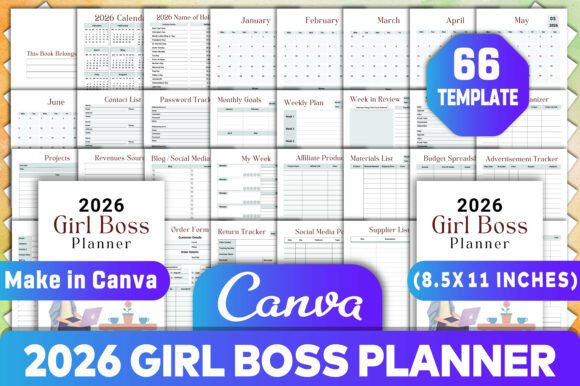
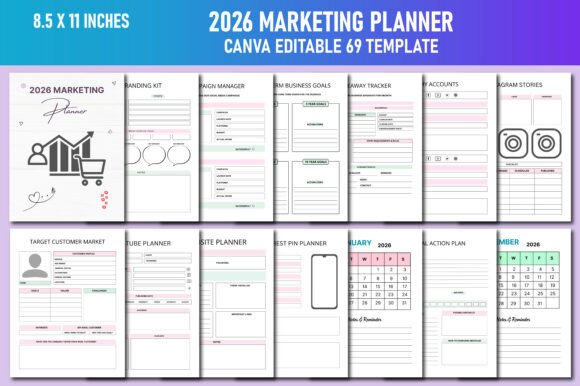
This isn’t just a calendar with checkboxes. The 2026 Marketing Planner Canva KDP includes over 50 purpose-built pages—each crafted to solve common planning pain points:
- 2026 Calendar Suite: Full-year and monthly views—editable, color-coded, and sized for both desk use and wall display.
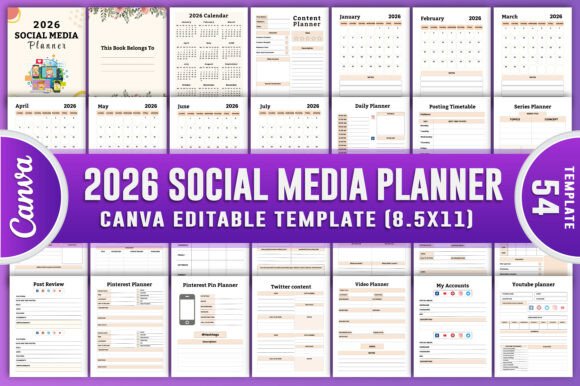
- Social Media Command Center: Dedicated planners for Instagram (posts, Stories, ads), YouTube, Facebook, Pinterest (pin ideas, board strategy, stats tracking), Twitter (X), and LinkedIn—including content scheduling grids and ad budget trackers.
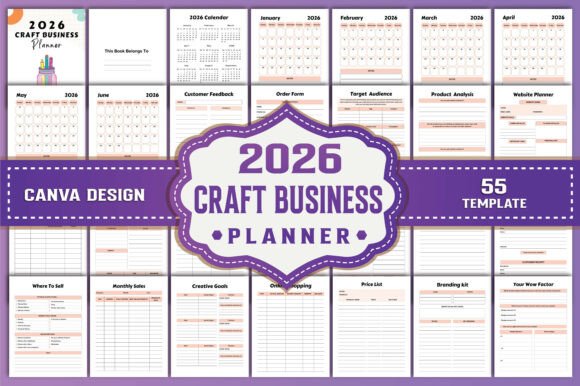
- Content & Branding Hub: Content idea bank, branding kit page (logo placement, palette swatches, font pairings), target customer profiles, and competitor analysis spreadsheets.
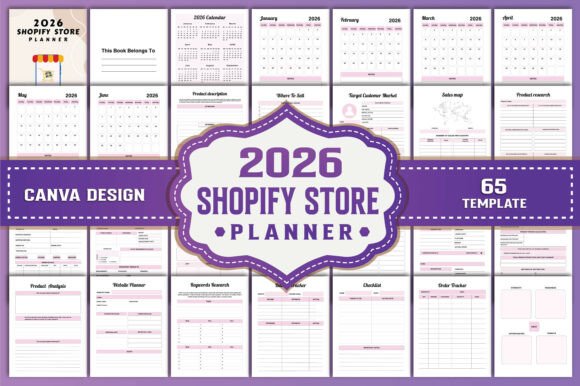
- Business Foundations: Pre-launch cost sheets, product ideation prompts, SEO keyword research log, website planning checklist, and market segmentation templates.
- Financial Clarity Tools: Income tracker, budget dashboard, annual profit/loss summary, coupon management, and financial goal action plans—with realistic date ranges aligned to 2026 fiscal cycles.
- Operational Essentials: Meeting notes, task charts, long-term goal mapping, post-planner timelines, and even a giveaway tracker for campaign coordination.
All pages are delivered in three formats: high-resolution JPG (ideal for quick previews), transparent-background PNG (for layering or digital overlays), and print-optimized PDF (CMYK-ready, bleed-safe, and formatted for standard sizes like A4, US Letter, and 8.5" x 11").
Designed for Real Use—Not Just Aesthetics
You’ll find no filler pages here. Every section serves a function rooted in daily workflows—for example:
- The Instagram Stories Planner includes swipe-up link tracking columns and mood-board style frames for visual brainstorming.
- The Pinterest Pin Planner helps map seasonal trends, pin descriptions, and alt-text reminders—key for SEO visibility on the platform.
- The SEO Keyword Focus Tracker guides users beyond search volume—prompting intent analysis, difficulty scoring, and content alignment notes.
- The Task Chart uses priority tiers (Urgent/Important/Delegate/Defer) instead of vague “to-do” lists—helping users triage realistically.
Who Benefits Most From This Planner?
The 2026 Marketing Planner Canva KDP shines brightest when used by those juggling multiple roles—or preparing to scale:
- Small Business Owners: Track inventory launches, local event promotions, and quarterly ad spend—all in one place.
- Content Creators & Coaches: Map YouTube video series, Instagram Reels calendars, and email newsletter themes months ahead.
- Etsy & Shopify Sellers: Align product photoshoots, listing updates, coupon campaigns, and Pinterest SEO efforts with seasonal demand spikes.
- Freelancers & Agencies: Manage client deadlines, scope changes, and retainer billing alongside internal team goals.
- Students & Side-Hustlers: Build marketing muscle with hands-on templates—like competitor analysis or brand voice development—before going full-time.
Practical Strengths—and Honest Considerations
Strengths:
- True Editability: Unlike locked PDFs, every text box, shape, and icon in the Canva version can be changed—even background images or grid lines.
- No Subscription Needed: Once purchased, you own lifetime access to the Canva link and all downloadable files.
- Print-Ready & Digital-Friendly: Works equally well as a physical desk companion or a tablet-based planning system.
- KDP-Compliant Interiors: Saves hours of technical formatting if you plan to self-publish or resell.
Considerations to Keep in Mind:
- This is not an automated tool—it won’t post to Instagram or generate reports. It’s a framework to guide your thinking and execution.
- While intuitive, editing in Canva does require basic familiarity with drag-and-drop tools (a 10-minute tutorial suffices for most).
- It doesn’t include pre-filled data—you bring your brand voice, goals, and metrics. That’s intentional: personalization drives accountability.
Real-World Scenarios Where It Makes a Difference
Scenario 1 – Launching a New Course
A wellness coach uses the Pre-launch Costs sheet to itemize email tool subscriptions, landing page design fees, and early-bird discount logistics—then maps each milestone to the Long Term Business Goals chart and ties it to monthly Instagram content themes.
Scenario 2 – Managing Multiple Client Accounts
A freelance social media manager duplicates the Facebook Content Schedule page for each client, adds their brand colors via Canva, and exports separate PDFs for weekly review meetings—keeping creative direction consistent and reporting streamlined.
Scenario 3 – Planning a Holiday Product Drop
An Etsy seller combines the 2026 Monthly Calendar, Pinterest Board Planner, and Coupons Tracker to stagger pin releases, coordinate gift guide submissions, and track redemption rates—turning seasonal traffic into repeat sales.
How to Get Started—Without Overwhelm
You don’t need to fill every page at once. Start with just two:
- Your 2026 Annual Finance Overview—map projected income, fixed costs, and growth targets.
- Your Primary Social Platform Planner—whether that’s Instagram or Pinterest—schedule your first month of content using the built-in grids and caption prompts.
Then, add one new section each week: Competitor Analysis, SEO Keywords, or Budget Tracker. The beauty of the 2026 Marketing Planner Canva KDP lies in its modularity—it grows with you, not against you.
Final Thought: Planning With Purpose
In a world of fragmented apps, endless notifications, and shifting algorithms, clarity comes not from more tools—but from better structure. The 2026 Marketing Planner Canva KDP delivers that structure with intention: editable, adaptable, and grounded in what actually moves the needle—whether you’re drafting your first blog post or scaling a six-figure brand. It’s not about perfection. It’s about showing up, consistently, with focus—and having the right pages ready when inspiration (or urgency) strikes.